
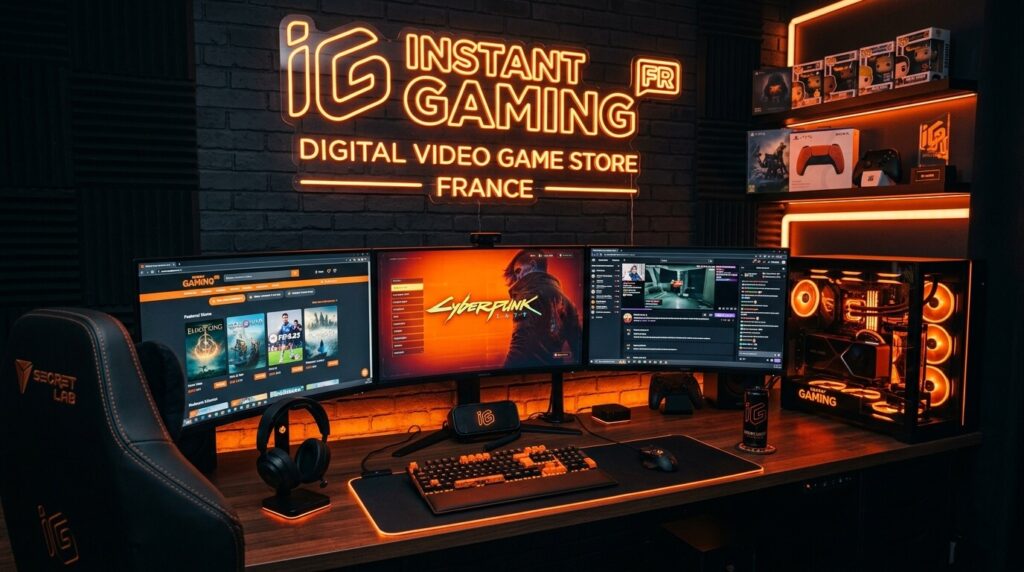
If you love video games but do not always love their prices, you have probably searched for Instant Gaming FR. The platform has become a popular destination for players looking for digital games, DLCs, gift cards, subscriptions, and other gaming products at discounted prices.
But how does it actually work? Is it easy to use? What should you check before purchasing a game key? And is the French version of the website different from the international service?
This guide answers those questions in simple terms and explains what you should know before making a purchase.
What Is Instant Gaming FR?
Instant Gaming FR is the French-language version of Instant Gaming, an online platform focused on digital gaming products. Its French website offers games for PC, PlayStation, Xbox and Nintendo Switch, alongside DLCs, subscriptions, gift cards and other digital products.
The basic idea is straightforward: instead of walking into a physical store and purchasing a boxed game, you can purchase a digital product online and receive the relevant activation information electronically.
The French storefront also organizes products by genres and gaming categories, including RPGs, FPS games, strategy titles, racing games, sports games, multiplayer games and more.
For a gamer, the experience is somewhat like having a digital game shop open around the clock. You browse, compare, purchase and then activate the product on the platform specified on its product page.
How Does Instant Gaming Work?
The process is designed to be relatively simple.
First, you search for the game you want. Once you find it, you should examine the platform, edition, region and activation method before buying.
After completing the purchase, digital products can be delivered electronically. Instant Gaming describes its service as providing immediate digital delivery, allowing customers to activate their purchases on the relevant gaming platform.
For example, imagine buying a PC game marked for Steam. Your purchase is not a physical disc. Instead, you receive the information required to activate the game through the specified service.
That distinction is important. Buying from an online digital store does not necessarily mean downloading the game directly from that store. In many cases, the store supplies the activation key while the actual game download happens through a platform such as Steam, EA App, Ubisoft Connect, Rockstar Games or another supported launcher.
This is similar to buying a ticket online: the website provides your ticket, but the actual event takes place somewhere else.
Why Are Games Often Cheaper?
One of the main reasons people search for Instant Gaming FR is price.
Digital stores can offer discounts that are considerably different from the standard prices displayed on official platform stores. The French storefront currently advertises discounted products across PC and console categories.
Why can the price be lower?
Digital distribution is one important factor. There is no physical box, disc, printed manual or traditional retail shelf involved.
Promotional pricing is another factor. Different retailers can run their own campaigns, giving shoppers opportunities to compare prices.
Older games may also receive significant reductions. A title that was expensive when first released can become much cheaper later as it ages.
However, never assume that the lowest number on the screen automatically represents the best deal. Compare the edition, platform, region, activation method and final checkout price.
A €10 version that lacks a desired DLC or works only in a particular region may not be a better purchase than a €15 complete edition.
Which Gaming Platforms Are Supported?
One of the useful aspects of the French storefront is the range of platforms it covers.
Instant Gaming currently lists products for:
- PC
- PlayStation
- Xbox
- Nintendo Switch
Its product selection also includes different activation services. Depending on the game, a PC product may require activation through Steam, EA App, Ubisoft Connect, Rockstar or another launcher.
The platform also offers products such as DLCs, gift cards and subscriptions.
This variety is convenient, but it creates one important responsibility for the buyer: check exactly what you are purchasing before paying.
A game for Xbox cannot simply be activated on PlayStation because the title is the same. Likewise, a PC Steam key is not automatically interchangeable with an EA App key.
Understanding Digital Game Keys
A digital game key is essentially an activation code connected to a particular product and platform.
Think of it as a key for a digital door. The code may give you permission to add a game to the appropriate gaming account, after which the game can usually be downloaded through the relevant platform.
However, not every key works everywhere.
A product page may specify:
Platform: Steam
Region: Europe
Edition: Deluxe Edition
Those three details matter.
If you live in France and purchase a product restricted to another region, activation may not work as expected. Similarly, purchasing the wrong edition can leave you without the bonus content you wanted.
This is why reading the product information is just as important as looking at the discount percentage.
How to Buy a Game Step by Step
Buying a digital game is generally straightforward, but taking a few extra seconds can prevent mistakes.
1. Search for the Game
Use the site’s search function to locate the title. You can also browse categories and current deals.
2. Select the Correct Edition
Games may have Standard, Deluxe, Gold, Ultimate or other editions. Check what each package includes.
3. Check the Platform
Look carefully for labels such as PC, Steam, Xbox, PlayStation or Nintendo Switch.
4. Check the Region
Regional restrictions can affect activation. Make sure the product is intended for your country or region.
5. Review the Price
Look at the actual purchase price rather than relying only on the percentage discount.
6. Complete the Purchase
Use an available payment method and follow the site’s checkout process.
7. Activate the Product
Follow the activation instructions supplied with the purchase. The activation platform will depend on the product.
8. Download and Play
After successful activation, download the game through the appropriate gaming service and start playing.
The process is quick, but the compatibility check should never be skipped.
Checking Region and Platform Compatibility
This is perhaps the most important habit for anyone buying digital games.
Before pressing the purchase button, ask yourself three questions:
Is this the correct platform?
If you play on PlayStation, buying a PC-only version will not solve your problem.
Is this the correct region?
Some products can have geographic activation restrictions. A cheap product is not useful if you cannot activate it in your country.
Is this the correct edition?
If you specifically want additional characters, maps, cosmetics or downloadable content, check the edition description carefully.
The Instant Gaming website provides product information and categories designed to help shoppers identify the appropriate version.
When in doubt, take a moment to read the product details rather than rushing because a discount looks attractive.
Deals, Discounts and Preorders
Discounts are one of the biggest attractions of digital game stores.
The French site features sections for best sellers, trends, promotions and upcoming releases, making it easier to discover games at different price points.
There are also products with large percentage reductions, particularly older games and DLCs.
For example, current listings show discounts on games and additional content across several platforms. Prices naturally change, so a deal visible today may not remain at the same level tomorrow.
What About Preorders?
The store also lists upcoming games for preorder. These can include major releases scheduled for future dates.
Preordering requires a little more attention than buying an already released game. Check the expected release date, platform, edition and any early-access conditions before completing the transaction.
Payment and Account Security
Whenever you purchase digital goods online, account security matters.
Use a strong, unique password for your account and avoid sharing login information with other people.
You should also pay attention to the website address before entering payment information. Avoid clicking suspicious advertisements or messages that imitate the store.
Instant Gaming’s support section includes separate areas for orders and products, payment, and account security, indicating that these are among the common areas where customers may need assistance.
It is also wise to keep confirmation emails and transaction information until you have successfully activated your purchase.
That simple habit can make troubleshooting much easier if something goes wrong.
Customer Support and Common Problems
Even a straightforward digital purchase can occasionally create problems.
A customer might enter the wrong account information, misunderstand a platform requirement, experience a payment issue or have difficulty activating a product.
Instant Gaming provides a dedicated French support area covering key activation, product information, payment, account and security issues.
The site’s support system also provides a partnership section for creators, communities and websites.
If you encounter a problem, the best approach is to provide clear information rather than sending several incomplete messages.
Keep details such as:
- Order information
- Product name
- Platform
- Activation message or error
- Relevant screenshots
- Payment information where appropriate
Never send your full password or other unnecessary sensitive information.
Is Instant Gaming FR Worth Considering?
Whether it is right for you depends on what you value.
If your priority is finding discounted digital games, the French storefront offers a large selection across PC and consoles. The website currently states that it offers more than 20,000 games and provides digital delivery.
The platform also displays a very large volume of customer reviews on its French storefront, which can give shoppers additional context about users’ experiences.
At the same time, being a smart shopper means understanding exactly what you are purchasing.
The biggest advantage is convenience: you can compare products, prices and editions without visiting a physical store.
The biggest thing to watch is compatibility.
So, is it worth considering? For shoppers looking for digital gaming deals, it can be a useful option, provided they carefully verify the product details before purchasing.
Smart Tips Before You Buy
Want to make your shopping experience smoother? Keep these habits in mind.
Compare the Complete Product
Do not compare prices without checking editions and included content.
Check the Activation Platform
Steam, EA App, Ubisoft Connect, Rockstar and console platforms are not interchangeable.
Read the Region Information
Regional restrictions can be more important than the discount itself.
Look at the Final Price
A displayed discount is useful, but the final amount you pay is what matters.
Avoid Rushing
A countdown or attractive discount can encourage impulse purchases. If you are unsure about compatibility, stop and check.
Keep Your Purchase Information
Save confirmation details until the product is activated successfully.
Use the Official Website
When searching for Instant Gaming, make sure you are using the legitimate domain rather than an unrelated website using a similar name.
You can visit the official French storefront here: Instant Gaming France
For customer assistance, use the official Instant Gaming French Support page.
Conclusion
Instant Gaming FR provides a convenient way for gamers to explore discounted digital games and gaming-related products. Its French storefront covers PC and major console platforms and includes games, DLCs, gift cards, subscriptions and other digital products.
The key to using any digital game retailer wisely is simple: check before you buy. Confirm the platform, region, edition and activation method, then compare the final price.
If you develop those habits, shopping for digital games becomes much easier—and you are far less likely to discover after payment that you bought the wrong version.
FAQs
1. What is Instant Gaming FR?
Instant Gaming FR is the French-language storefront of Instant Gaming, offering digital games and related products for PC, PlayStation, Xbox and Nintendo Switch.
2. How does Instant Gaming deliver games?
Digital products are delivered electronically. Depending on the product, you receive the information needed to activate the game or service on the specified gaming platform.
3. Can I buy PC games for Steam?
Yes. The French storefront lists numerous PC products specifically identified for Steam, although some games use other launchers such as EA App, Ubisoft Connect or Rockstar. Always check the individual product listing.
4. Does Instant Gaming sell console games?
Yes. The French storefront offers products for PlayStation, Xbox and Nintendo Switch in addition to PC products.
5. What should I check before buying a game?
Check the platform, region, edition, activation method and final price. These details can determine whether the product is suitable for your gaming account and device.