
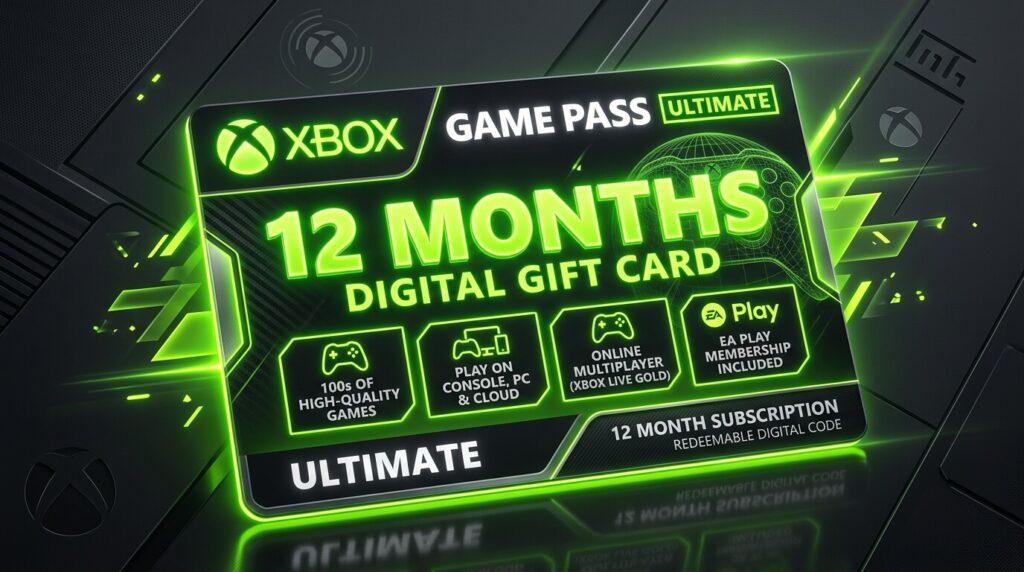
Xbox Game Pass Ultimate 12 Months: A Complete Guide for Gamers
If you enjoy gaming on Xbox or PC, you have probably heard about Xbox Game Pass Ultimate. It has become one of the most convenient ways to access a large library of games without purchasing every title separately. But what does a 12-month membership really offer, and is it worth choosing over shorter subscriptions?
For many players, the appeal is simple: pay for access and explore a wide selection of games whenever you want. Think of it like a streaming service for gaming, except you can actually play the content rather than simply watch it.
This guide explains how a 12-month Game Pass Ultimate membership works, what benefits you can expect, what to check before purchasing, and how to decide whether it makes sense for your gaming habits.
1. What Is Xbox Game Pass Ultimate?
Xbox Game Pass Ultimate is Microsoft’s premium gaming subscription designed for people who want access to gaming across supported Xbox consoles, PCs, and cloud-enabled devices.
Instead of buying individual games one at a time, subscribers receive access to a changing catalog of games. The exact selection can change over time, so the service works best for people who enjoy trying different titles rather than permanently owning every game they play.
One of the biggest attractions is that Ultimate combines several gaming benefits into one membership. Depending on the current service structure and availability in your region, these benefits can include a game catalog, online multiplayer capabilities for supported console games, PC gaming access, cloud gaming, EA Play, and additional member offers.
The important point is flexibility. You can move between different games without having to purchase each one separately.
For someone who regularly plays games, that flexibility can make a subscription particularly attractive.

2. What Does a 12-Month Membership Mean?
When people search for Xbox Game Pass Ultimate 12 months, they are usually looking for a longer-term way to maintain their membership.
A yearly period can be useful because you do not have to think about renewing your subscription every month. It also gives you a longer period during which you can explore the available catalog.
However, there is an important detail to understand: the availability and exact structure of 12-month Game Pass Ultimate offers can vary by market and over time.
Microsoft has changed Game Pass plans, pricing, benefits, and purchasing options at different points. Third-party sellers may also advertise codes or memberships with different activation conditions.
Before buying, always check:
- The exact Game Pass tier
- The duration of the membership
- Your country or account region
- Whether the code is new or intended for existing subscribers
- Activation requirements
- Whether recurring billing is enabled
- The seller’s reputation and terms
A 12-month offer can look attractive at first glance, but the details matter just as much as the advertised price.
3. What Games Are Included?
The game catalog is one of the main reasons people consider Game Pass Ultimate.
The selection can include games from Xbox Game Studios, major publishers, independent developers, and other participating partners. However, the catalog is not permanently fixed.
Some games remain available for long periods, while others may eventually leave the service.
This means you should think of Game Pass as access rather than permanent ownership.
For example, imagine a huge library where books are constantly being added and removed. You can read the books while they are available, but you do not own the entire library forever.
The same basic idea applies here.
The catalog may include different genres such as:
- Action games
- Adventure games
- Role-playing games
- Racing games
- Sports titles
- Strategy games
- Indie games
- Family-friendly games
- Multiplayer experiences
- Large blockbuster releases
The availability of specific games can vary by platform and region, so it is wise to check the current catalog before purchasing specifically for one title.
4. Xbox and PC Gaming Benefits
One of the strongest features of Ultimate is its appeal to gamers who use more than one platform.
If you own an Xbox console and a compatible gaming PC, the membership can provide access to gaming experiences across both environments.
For console players, Game Pass can provide a broad selection of games alongside online gaming benefits for supported multiplayer experiences.
For PC players, the service can provide access to a separate collection of PC games through the supported Xbox ecosystem.
This can be particularly useful for households where one person plays on Xbox while another prefers PC.
Instead of maintaining completely separate subscriptions for different gaming habits, a single Ultimate membership may cover multiple supported experiences.
Of course, compatibility differs from game to game. A title available on Xbox is not necessarily available on PC, and vice versa.
Before downloading a particular game, check its supported platforms.
5. Cloud Gaming Explained
Cloud gaming is another major feature associated with Game Pass Ultimate.
Instead of downloading and installing a game locally, supported titles can be streamed through the internet to compatible devices.
This can be useful when your device does not have enough storage or when you simply want to start playing without waiting for a large download.
Imagine having a powerful gaming computer somewhere else and controlling it remotely through your own screen. That is a simplified way to think about cloud gaming.
However, your experience depends heavily on your internet connection.
A stable connection can make cloud gaming convenient, while an unstable connection may result in:
- Input delay
- Lower image quality
- Connection interruptions
- Longer loading periods
- Unpredictable performance
Cloud gaming is therefore a useful complement to traditional gaming rather than a universal replacement for downloading games.
If you have excellent internet, it can be extremely convenient. If your connection is unreliable, installing games locally may provide a better experience.

6. EA Play and Other Membership Perks
Another reason gamers choose Ultimate is that the membership can bundle additional benefits.
One of the notable additions has been EA Play, which provides access to a selection of Electronic Arts games and other membership benefits.
Depending on the current terms, subscribers may also receive special discounts, member offers, trials, or other gaming-related advantages.
The exact benefits can change, so you should not assume that every feature advertised for Game Pass several years ago remains identical today.
Always check the current official membership details before purchasing.
The broader advantage is convenience. Instead of managing several gaming services independently, Ultimate attempts to combine multiple benefits into one subscription.
For regular gamers, that can reduce the hassle of deciding which individual service to maintain.
7. Is a 12-Month Plan Better Than Monthly Membership?
Whether a yearly membership is better depends on how frequently you play.
If you play Xbox or PC games several times a week, a longer subscription can make sense because you are likely to use the service consistently.
On the other hand, if you only play occasionally, paying for a full year may not be the most efficient option.
Consider your gaming habits.
A 12-month membership may suit you if:
- You play throughout the year
- You regularly try new games
- You use both Xbox and PC
- You enjoy multiplayer gaming
- You want cloud gaming access
- You dislike monthly subscription management
- You expect to use the catalog frequently
A shorter subscription may be preferable if you only want to play one particular game for a limited period.
The key is not simply asking, “Is 12 months cheaper?” Instead, ask, “Will I actually use the service for 12 months?”
That question can save you money.
8. What to Check Before Buying
Before purchasing an Xbox Game Pass Ultimate 12-month offer, take a few minutes to inspect the details.
First, verify the product.
Make sure you are purchasing Game Pass Ultimate rather than another Game Pass tier. Similar names can make offers confusing.
Second, check the region.
Some digital codes are region-specific. A code purchased for one market may not work with an account registered in another.
Third, check the duration.
Make sure the offer actually provides the amount of membership time advertised.
Fourth, examine the seller.
If you are buying from a third-party marketplace, look for a strong history of legitimate transactions and clear terms.
Be particularly cautious with deals that appear dramatically cheaper than normal.
A very low price can sometimes come with restrictions, unusual activation methods, account-sharing arrangements, or other conditions that you may not expect.
Fifth, read the activation instructions.
Do not assume that every code works in exactly the same way.
Finally, keep your receipt or purchase confirmation until the membership has been successfully activated.
9. How to Get the Most Value
Once you have Game Pass Ultimate, the best way to get value from it is to actually explore the service.
Many subscribers make the mistake of downloading one game and ignoring everything else.
Why pay for a large catalog if you only use one title?
Instead, create a simple gaming rotation.
Try different genres. If you normally play racing games, experiment with an RPG or strategy title.
Check newly added games. New additions can give you a reason to revisit the service regularly.
Use cloud gaming when appropriate. If you want to test a game before downloading a large file, streaming may be convenient where supported.
Take advantage of multiplayer features. If you regularly play with friends, the membership can become more valuable because you’re using more of its benefits.
Explore indie games. Smaller games are easy to overlook, but some can provide dozens of enjoyable hours.
Think of the subscription like a gym membership. The value does not come merely from having the membership card. It comes from actually using it.
10. Common Mistakes to Avoid
Buying a long-term subscription without understanding the conditions is one of the most common mistakes.
Mistake #1: Buying based only on price
The cheapest offer is not automatically the best offer. Consider legitimacy, region, duration, and activation requirements.
Mistake #2: Assuming every game stays forever
Game catalogs change. A game you enjoy today may eventually leave the service.
Mistake #3: Ignoring your platform
Check whether a particular title works on your Xbox, PC, or through cloud gaming.
Mistake #4: Forgetting recurring billing
If you do not want automatic renewal, review your account’s billing settings after activating the membership.
Mistake #5: Sharing account credentials
Be careful with sellers or offers that require you to give another person access to your Microsoft account. Your account contains personal information and should be protected.
Mistake #6: Buying a year when you barely play
A long subscription is only good value if you use it.
11. Who Should Choose Game Pass Ultimate?
Game Pass Ultimate is particularly appealing to active gamers who like variety.
If you frequently finish games and immediately want something new, having a large catalog available can be extremely useful.
It can also appeal to players who use both Xbox and PC. Instead of purchasing separate games across platforms, the service can provide a broader ecosystem.
It may be especially suitable for:
- Frequent gamers
- Xbox console owners
- PC gamers
- Families with multiple gaming interests
- Players who enjoy discovering new games
- Multiplayer enthusiasts
- Gamers interested in cloud gaming
However, it may not be ideal for someone who only plays one or two games each year.
If you primarily buy individual games and rarely explore subscription catalogs, purchasing games directly could sometimes be a better fit.
12. How to Decide If 12 Months Is Worth It
A simple calculation can help.
Start by estimating how many months you realistically expect to use Game Pass.
Then consider how much you would normally spend on games during that period.
Suppose you normally purchase several full-price games every year. A subscription that gives you access to a wide selection may provide considerable entertainment value.
But there is another side to the calculation.
If you subscribe and barely play, the theoretical savings do not matter.
Usage is the most important factor.
Ask yourself:
How often do I play?
If the answer is several times each week, a longer membership becomes more attractive.
Do I enjoy trying different games?
If yes, a large catalog can provide considerable value.
Do I use multiple platforms?
If you play across supported Xbox and PC environments, the broader benefits may be more useful.
Do I have reliable internet?
This matters particularly if you expect to use cloud gaming.
By answering these questions honestly, you can make a better decision than simply choosing the biggest discount you see.
13. Frequently Asked Questions
Is Xbox Game Pass Ultimate 12 months worth it?
For frequent gamers, it can be a strong value because it combines access to a broad game catalog with several additional benefits. However, the value depends on how often you use the service and which features matter to you.
Can I play Game Pass games without buying them individually?
Yes, supported games can generally be played while they are included in the Game Pass catalog and while your subscription is active. However, catalog availability can change.
Does Game Pass Ultimate work on PC?
Yes. Ultimate includes PC gaming benefits for supported games and devices. Individual games can have different platform requirements, so check the game’s listing before downloading or playing.
Can I use cloud gaming with Game Pass Ultimate?
Cloud gaming is available for supported titles and compatible devices, subject to Microsoft’s current service availability, supported regions, and technical requirements. A reliable internet connection is important for a good experience.
Can I buy a 12-month Game Pass Ultimate code from a third-party seller?
You may find third-party offers, but you should carefully verify the seller, region, activation requirements, duration, and refund policy before purchasing. An unusually cheap code deserves extra scrutiny.
Final Verdict
An Xbox Game Pass Ultimate 12 months membership can be an excellent option for gamers who play regularly and want variety rather than purchasing every game individually. Its combination of gaming access, multiplayer-related benefits, PC support, cloud gaming, and additional perks makes it more than a simple game library.
But don’t choose a yearly subscription simply because it sounds like the better deal.
Consider your gaming habits, check the current membership terms, confirm regional compatibility, and purchase only from a trustworthy source. If you know you will use the service throughout the year, a long-term membership can turn your gaming setup into a much larger entertainment library without requiring you to buy every title separately.
The best subscription is not necessarily the cheapest one—it is the one you will actually use.