
You plug in your phone before bed, expecting to wake up to a full battery. Instead, you wake up to a dead screen — and a small wave of panic. Sound familiar?
A phone that won’t charge is one of those problems that feels bigger than it is. Your mind jumps straight to “I need a new phone” or “this is going to cost me a fortune.” But here’s the truth: in most cases, the fix is something you can do yourself in under ten minutes, with tools you already have at home.
In this guide, we’ll walk through nine practical, tested solutions — starting with the simplest ones — so you can get your phone charging again without unnecessary stress or an unnecessary trip to the repair shop. By the end, you’ll also know exactly when it’s time to stop troubleshooting and hand it over to a professional.
Why Is My Phone Not Charging? Common Causes Explained
Before jumping into fixes, it helps to understand what’s usually behind the problem. A phone that refuses to charge typically falls into one of these categories:
- A dirty or damaged charging port
- A faulty cable or adapter
- Software glitches
- A worn-out battery
- Physical damage from drops or water exposure
Knowing which category you’re dealing with makes troubleshooting a lot faster, since you’re not randomly trying things and hoping something sticks.
1. Check the Charging Cable and Adapter First
This sounds almost too obvious, but it’s the number one reason people think their phone is broken when it isn’t.
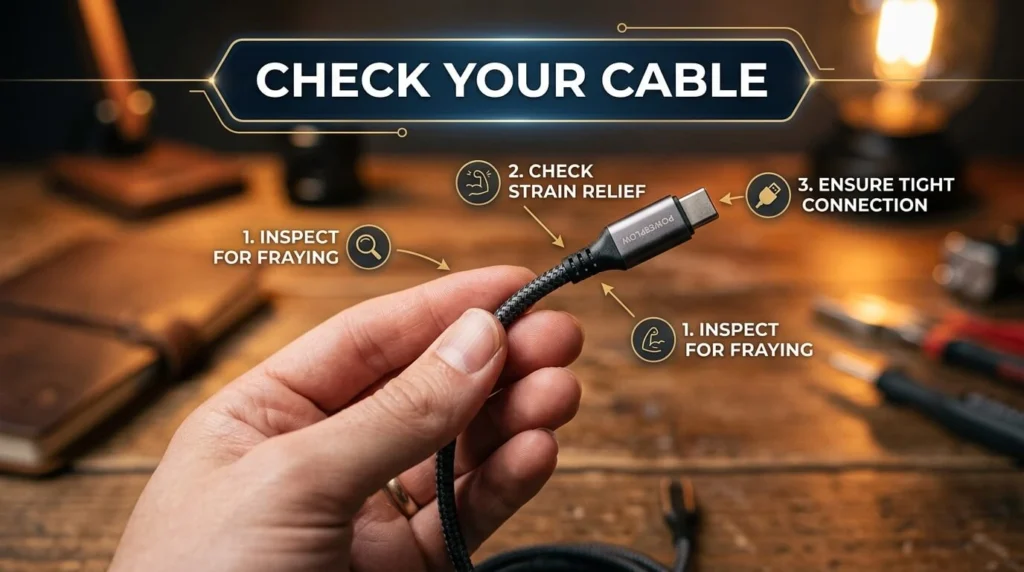
Cables wear out. The point where the cable meets the connector is usually the first to fray, especially if you tend to charge your phone in bed or in the car. Try these quick checks:
- Swap in a different cable you know works
- Try a different wall adapter
- Test your current cable on another device
If your phone charges fine with a different cable, you’ve found your culprit — and a replacement cable usually costs less than a coffee.
A Quick Personal Note
I once spent nearly a week convinced my phone’s charging port was dying. Turned out my dog had chewed through the inner wiring of my cable, and the damage wasn’t visible from the outside. A five-dollar cable fixed what I thought was a hundred-dollar problem.
2. Inspect and Clean the Charging Port
Lint, dust, and pocket debris build up in charging ports over time — more than most people realize. This buildup can physically block the connector pins from making contact.
How to clean it safely:
- Power off your phone
- Use a flashlight to look inside the port for visible debris
- Gently use a wooden toothpick, an anti-static brush, or a can of compressed air
- Avoid metal objects, which can bend the tiny connector pins
Do this gently and patiently. Rushing it is how ports get damaged.
3. Restart Your Phone
It sounds too simple to matter, but a restart clears out temporary software glitches that can interfere with the charging process. Sometimes your phone’s system just needs a reset to recognize that a power source is connected.
Hold the power button, restart the device, and then plug it back in. This single step resolves the issue more often than people expect.
4. Try a Different Power Source
Not all power outlets and USB ports are created equal. If you’re charging from a laptop USB port, a power strip, or a low-output source, your phone may charge extremely slowly — or not appear to charge at all.
Test with:
- A wall outlet directly (not a power strip)
- A different wall adapter, ideally the one that came with your phone
- A car charger, if available, as a secondary test
If your phone charges normally from a different source, the original outlet or adapter is likely the issue.
5. Update or Reset Your Phone’s Software
Outdated software can sometimes interfere with how your phone manages power input. Check whether a software update is available and install it if so.
If updating doesn’t help and you’re comfortable with a slightly bigger step, a soft reset (not a factory reset) can resolve deeper software conflicts. Always back up your data first, just to be safe.
6. Check for Physical Damage
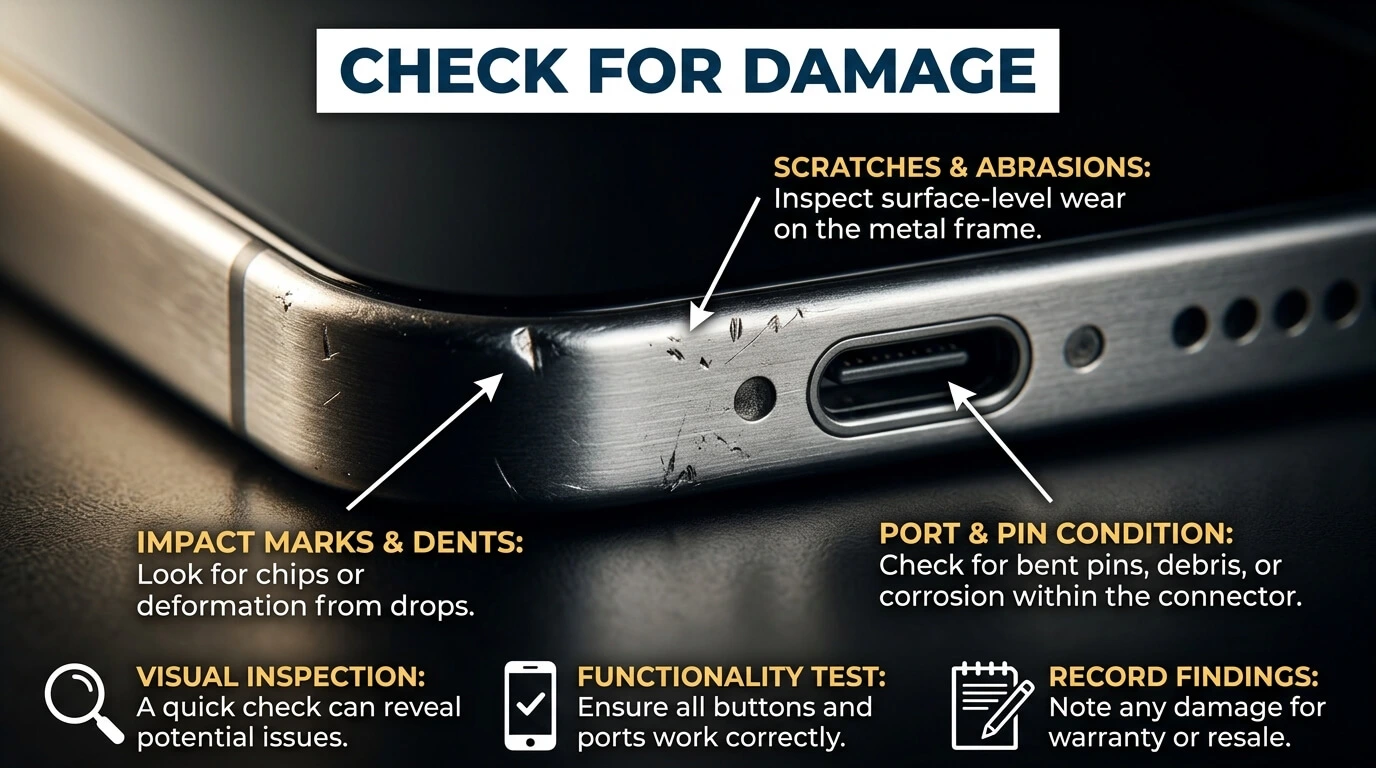
Take a close look at your phone, especially around the charging port. Ask yourself:
- Has the phone been dropped recently?
- Has it been exposed to water, rain, or high humidity?
- Is the port bent, loose, or discolored?
Water exposure is a particularly sneaky cause. Even “water-resistant” phones can develop charging issues after moisture gets into the port. If you suspect water damage, let the phone dry completely — ideally 24 to 48 hours in a dry, room-temperature space — before attempting to charge it again.

7. Test the Battery Health
Batteries degrade naturally over time. If your phone is more than two to three years old and charging has become unreliable or painfully slow, battery wear could be the root cause.
Most smartphones have a built-in battery health check in their settings menu. If your battery health shows significant degradation, charging problems are a natural symptom — and a battery replacement, not a new phone, is usually the fix.
8. Rule Out Case or Accessory Interference
Thick phone cases, especially ones with built-in card holders or magnetic attachments, can sometimes block the charging port or interfere with wireless charging alignment. Remove your case entirely and try charging again. It’s a small step that’s easy to overlook.
9. When to See a Professional
If you’ve worked through the steps above and your phone still won’t charge, it’s time to consult a technician. Signs you shouldn’t keep troubleshooting on your own:
- Visible corrosion or burnt smell near the port
- The phone gets unusually hot while attempting to charge
- Charging works only when the cable is held at a specific angle
- The phone is still under warranty (DIY fixes could void it)
A professional diagnosis at this stage saves you time and protects your device from further damage.
Frequently Asked Questions
Why is my phone charging so slowly instead of not at all?
Slow charging is usually caused by a low-output charger, a damaged cable, or too many apps running in the background while charging. Try a different adapter first.
Can a dirty charging port really stop my phone from charging?
Yes. Even a small amount of lint can prevent the pins from making a solid connection, which is one of the most common and easiest-to-fix causes.
Is it safe to use a toothpick to clean my charging port?
A wooden or plastic toothpick is generally safe if used gently. Avoid metal objects, which can scratch or bend the internal pins.
Should I replace the battery or the whole phone?
If your phone is otherwise working well and the battery health report shows significant wear, replacing the battery is almost always more cost-effective than buying a new device.
My phone shows the charging symbol but the percentage isn’t going up. What does that mean?
This usually points to a power delivery issue — try a stronger charger or a different cable, since your phone may be receiving a signal but not enough actual power.
Final Thoughts
A phone that won’t charge is frustrating, but it’s rarely a dead-end problem. Start with the simple stuff — cable, port, power source — before assuming the worst. Most people fix the issue within the first three steps of this guide.
If you’ve tried everything here and you’re still stuck, don’t keep guessing. A quick visit to a certified repair technician will save you time, money, and a lot of unnecessary worry.
Have a charging issue that none of these fixes solved? Drop the details of what you’ve already tried, and let’s figure out what’s next.