
Introduction
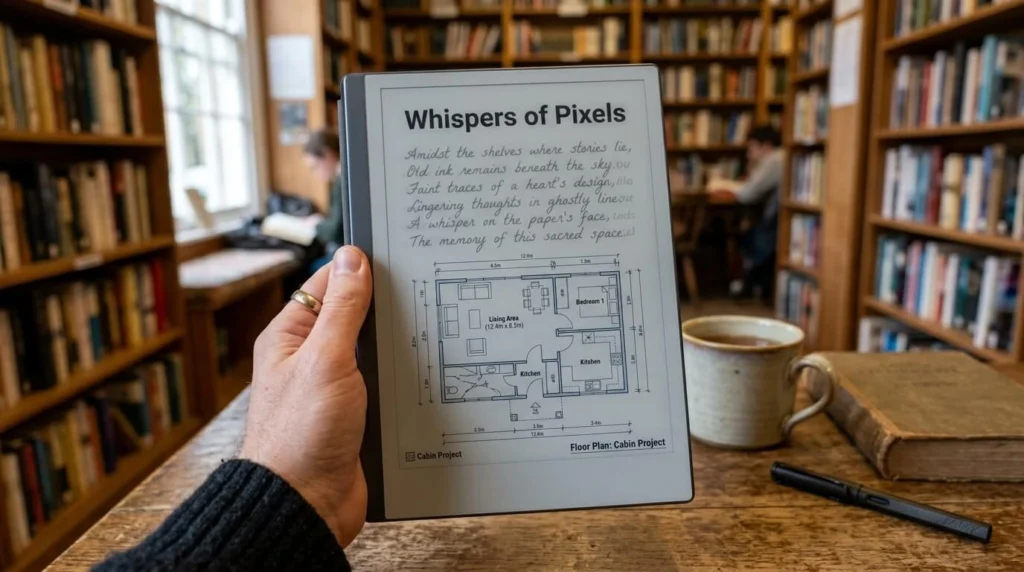
You’re deep into the final chapter of a thriller, and there it is again — a faint shadow of the previous page’s text, hovering behind the words you’re trying to read. Annoying, right? That ghostly outline has a name: e ink ghosting, and it’s one of the most common complaints among Kindle, Kobo, and Nook owners alike.
The good news? Ghosting isn’t a sign your device is broken, and in most cases, you can fix it in under a minute. In this guide, we’ll break down exactly what causes e ink ghosting, how it differs from normal screen refresh behavior, and the practical steps you can take to clear it up for good — plus a few habits that will keep it from coming back. If you’ve ever wondered whether your e-reader is dying or just needs a nudge, stick around, because the answer might surprise you.
What Is E Ink Ghosting, Exactly?
E ink ghosting is the faint residual image left on an e-reader’s screen after the display updates to new content. It looks like a light gray outline of previous text or images bleeding through the current page. Unlike a backlit LCD or OLED screen, e ink (electronic ink) displays work by physically moving tiny charged particles inside microcapsules to form letters and images. When those particles don’t fully reset between page turns, traces of the old image linger — that’s ghosting.
It’s important to understand that ghosting is a natural byproduct of how e ink technology functions, not necessarily a defect. Every e ink device, from the original Kindle to the latest Kobo Libra, experiences some degree of it. The difference lies in how visible and frequent the ghosting is, which depends on your device’s settings, age, and usage patterns.
Why Does E Ink Technology Cause Ghosting in the First Place?
E ink screens use electrophoretic technology. Picture thousands of microscopic capsules, each filled with black and white charged particles, sandwiched between two electrode layers. When you turn a page, an electrical charge tells those particles to rearrange — black particles rise to the surface to form text, white particles sink to create the background.
The problem is that these particles have a kind of “memory.” After repeated rearrangements, a small percentage of particles don’t fully return to their original position. Over dozens of page turns, this creates a cumulative shadow effect. It’s a bit like writing on a whiteboard with a marker that’s slightly worn — the eraser still works, but faint traces build up over time.

Common Types of E Ink Ghosting
Not all ghosting looks the same, and recognizing the type can help you troubleshoot faster.
Light Ghosting
This is the subtle, barely-there shadow you might not notice unless you’re looking for it. It’s the most common type and usually clears up with a single full refresh.
Heavy Ghosting
Heavy ghosting shows a clear, dark outline of previous content, often after viewing image-heavy pages like book covers, comics, or PDFs. It’s more distracting and may take a couple of refresh cycles to fully clear.
Partial Ghosting
Sometimes only a section of the screen retains a shadow while the rest looks clean. This often happens with older devices or ones that have had a firmware glitch.
What Causes E Ink Ghosting? Top Reasons Explained
Understanding the root causes helps you address the issue at the source rather than just treating symptoms.
- Partial page refreshes. Most e-readers use a “partial refresh” mode by default to save battery and speed up page turns. This skips the full particle reset, which is efficient but allows ghosting to accumulate.
- Frequent image or PDF viewing. Dense graphics require more particle movement, increasing the odds of residue.
- Temperature extremes. E ink particles move more sluggishly in cold environments, which can worsen ghosting.
- Device age. Older e-readers, especially those several years old, tend to show more ghosting as the display panel wears.
- Outdated firmware. Manufacturers regularly tweak refresh algorithms; an outdated system may not have the latest ghosting-reduction improvements.
How to Fix E Ink Ghosting: Step-by-Step Solutions
Here’s the direct answer to the question most readers are searching for: the fastest way to fix e ink ghosting is to force a full screen refresh, which most devices do automatically every few page turns, but you can trigger it manually too.
1. Force a Manual Screen Refresh
On a Kindle, go to Settings and look for a “Refresh” or restart the reading app. On many devices, simply navigating to the home screen and back triggers a full refresh cycle. Some readers support a keyboard shortcut or button combination — check your device’s settings menu for a dedicated refresh option.
2. Adjust Your Refresh Rate Settings
Many e-readers let you control how often a full refresh happens (for example, every page vs. every six pages). Navigate to Settings > Reading Options and look for “Full Page Refresh” or similar. Setting it to refresh every page slightly reduces battery life but virtually eliminates visible ghosting.
3. Restart Your Device
A simple restart clears the display buffer and often resolves persistent ghosting, especially if it’s tied to a temporary software hiccup rather than the hardware itself.
4. Update Your Firmware
Check Settings > Device Info > System Updates. Manufacturers frequently release firmware patches specifically aimed at improving display performance, including ghosting reduction algorithms.
5. Avoid Extreme Temperatures
Keep your e-reader within its recommended operating temperature range (usually 32°F to 95°F / 0°C to 35°C). If you’ve been reading outside in the cold, let the device warm up before you worry about ghosting.
6. Factory Reset as a Last Resort
If ghosting persists across every book and app, and firmware is current, a factory reset can clear corrupted display cache data. Back up your library first.
How to Prevent E Ink Ghosting Long-Term
Fixing it once is easy — keeping it away is the real win. A few habits make a noticeable difference:
- Set your refresh rate to a lower page interval if ghosting bothers you often.
- Keep firmware updated automatically.
- Avoid leaving the device in direct sunlight or cold cars for extended periods.
- Give your e-reader an occasional full restart, especially after long reading sessions.
- Store the device in moderate temperatures when not in use.
Frequently Asked Questions
Is e ink ghosting a sign my e-reader is broken?
No. Ghosting is a normal characteristic of e ink display technology and happens on virtually every device to some degree. It only signals a hardware problem if it’s severe, permanent, and doesn’t clear after a full refresh or reset.
Does ghosting get worse as my Kindle ages?
It can. Older panels may show slightly more ghosting due to natural wear on the microcapsule layer, but this is usually gradual and manageable with regular refreshes and firmware updates.
Why does ghosting happen more with comics or PDFs?
Image-heavy content requires more particles to shift positions simultaneously, increasing the chance some don’t fully reset. Text-only pages involve far less particle movement and typically show less ghosting.
Can I completely eliminate ghosting?
Not entirely — it’s inherent to how e ink works. But setting your device to refresh every page reduces it to nearly unnoticeable levels for most readers.
Will a screen protector cause more ghosting?
Generally no, as long as it’s a proper e-reader-compatible protector. Low-quality or poorly applied protectors can occasionally interfere with touch response, but they don’t affect the underlying particle behavior that causes ghosting.
Conclusion: Don’t Let Ghosting Ruin Your Reading Experience
E ink ghosting is one of those quirks that sounds alarming the first time you notice it but turns out to be completely manageable once you understand what’s happening beneath the screen. Whether it’s a quick manual refresh, a firmware update, or simply adjusting your refresh rate settings, you now have a full toolkit to keep your pages crisp and shadow-free.
If ghosting keeps bothering you despite trying these fixes, it might be worth reaching out to your device manufacturer’s support team, especially if your e-reader is still under warranty. Try the fixes above today, and enjoy distraction-free reading again.