
Good video is no longer only about sharp pictures. Clear audio can make or break a video. Whether you are recording a YouTube video, an interview, a podcast, a travel vlog, a social media clip, or a simple family video, viewers expect to hear every word without fighting through wind, background noise, or room echo.
That is where a modern wireless microphone system can make a major difference. The DJI Mic family is designed to give creators a convenient way to capture speech without being physically connected to a camera or phone by a long cable.
But is it right for everyone? What makes it different from a traditional microphone? How does it work, and what should you know before buying one?
This guide explains the important things in simple language so you can decide whether a DJI wireless microphone system fits your recording needs.
1. What Is DJI Mic?
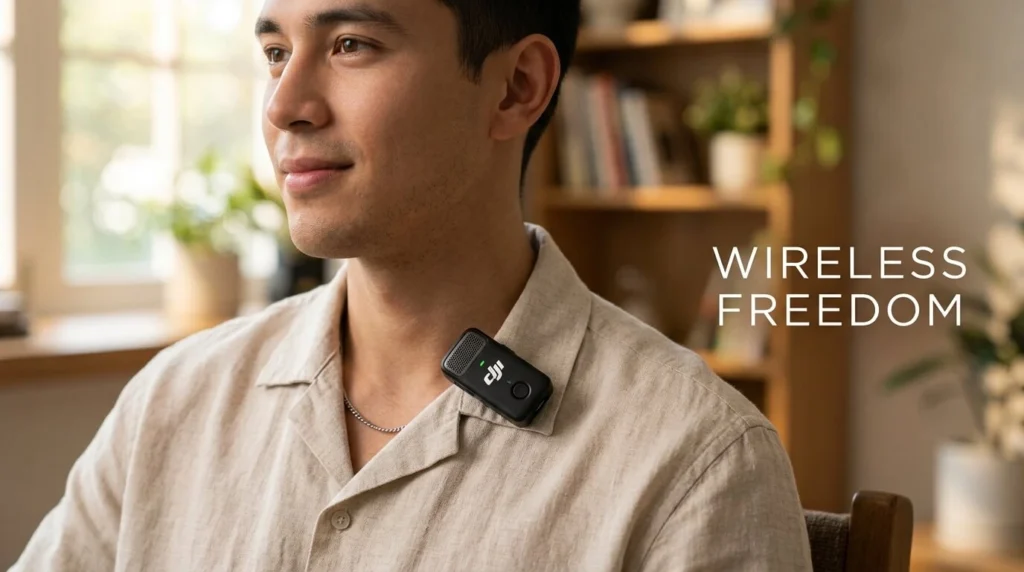
DJI Mic is a wireless microphone system designed primarily for content creators and video recording. Instead of connecting a microphone directly to a camera with a long cable, you can attach a small transmitter to the person speaking.
The transmitter captures the speaker’s voice and sends the audio wirelessly to a receiver. The receiver can then connect to a compatible camera, smartphone, computer, or other recording device, depending on the model and accessories being used.
Think of it like replacing a long audio cable with an invisible bridge between the person speaking and the recording device.
This approach is especially useful when the speaker needs to move around. Imagine recording a cooking demonstration. With a conventional wired microphone, the cable can become awkward. With a wireless system, the presenter can move naturally around the kitchen while continuing to record audio.
The DJI Mic range has evolved over time, so features, connectivity options, storage, battery performance, and recording capabilities can vary between generations and specific packages. Buyers should therefore check the specifications of the exact model they are considering.
2. Why Wireless Audio Matters
Have you ever watched a video with beautiful visuals but terrible sound?
You probably did not watch it for long.
People are often more forgiving of average video quality than they are of difficult-to-understand speech. A viewer can tolerate a slightly soft image, but constant background noise or muffled dialogue quickly becomes frustrating.
Wireless microphones solve an important practical problem: distance.
A camera might be several feet away from the person speaking. If you rely on the microphone built into the camera, the voice may sound distant because the microphone is also picking up the surrounding environment.
A microphone placed closer to the speaker generally has an easier job capturing the voice clearly.
This is one of the main advantages of a clip-on wireless transmitter. It stays relatively close to the speaker’s mouth while the camera can remain farther away.
For creators, that can mean:
- Clearer dialogue
- More natural movement
- Less dependence on camera microphones
- Cleaner-looking recordings
- Greater flexibility during interviews
- Better audio for outdoor videos
Good audio is not simply an accessory. For many types of content, it is part of the storytelling.
3. How the DJI Mic System Works
A typical wireless microphone setup consists of a transmitter and a receiver.
The transmitter is the small unit worn or positioned near the speaker. It contains the microphone and wireless technology needed to send the audio.
The receiver is connected to the recording device. Depending on the setup, that device might be a camera, smartphone, tablet, computer, or another compatible piece of equipment.
The basic process is straightforward:
Step 1: Place the transmitter near the speaker.
The transmitter can usually be clipped onto clothing or positioned in a suitable location.
Step 2: Connect the receiver.
The receiver connects to the camera or mobile device using the appropriate connection or accessory.
Step 3: Start recording.
The speaker can move within the practical wireless range while the system sends the audio to the receiver.
Step 4: Monitor your recording.
Depending on the equipment and setup, you can monitor levels and make adjustments before or during recording.
This separation between the speaker and camera is what makes the system particularly useful for interviews, demonstrations, presentations, and mobile content.
4. Key Features to Know
Different generations of DJI Mic products offer different features, but several capabilities are particularly important when evaluating a wireless microphone.
Compact Transmitters
Small transmitters are convenient because they can be attached to clothing without becoming too distracting.
For creators who record themselves, size matters. A microphone that is easy to carry and attach is more likely to be used consistently.
Wireless Connectivity
The wireless connection allows the speaker to move without being physically tied to the camera.
This is particularly helpful for walking videos, interviews, events, tutorials, and product demonstrations.
Built-In Recording
Some DJI Mic models and generations include internal recording capabilities. This can provide an additional layer of protection if the wireless connection encounters a problem or if you want a local copy of the audio.
That feature can be especially valuable during important interviews where repeating the conversation is impossible.
Touchscreen or On-Device Controls
Depending on the model, the receiver may provide a display and controls that make it easier to view or adjust audio settings.
Having information available directly on the receiver can save time compared with navigating complicated menus.
Charging Case
Certain DJI Mic packages include a charging case designed to store and recharge components.
This makes the system more convenient for travel because the microphone units, receiver, and charging solution can be kept together.
5. Sound Quality and Recording Performance
A microphone’s most important job is simple: capture useful sound.
The exact audio quality depends on the model, recording settings, placement, environment, and the person using it. Even an expensive microphone cannot completely overcome poor placement.
A transmitter clipped too far away from the speaker may capture a weaker voice. Clothing rubbing against the microphone can create unwanted noise. Strong wind can also affect recordings.
When positioned correctly, a wireless clip-on microphone can produce a much more direct voice recording than a camera’s built-in microphone.
That difference is particularly noticeable when the camera is several feet away.
The microphone should generally be positioned close enough to the speaker to capture the voice clearly while avoiding direct contact with clothing that could create friction noise.
Audio levels are another important consideration. If the recording level is too low, you may need to increase it later, which can also make background noise more noticeable. If the level is too high, the audio can become distorted.
The goal is a healthy recording level with enough room for louder moments.
6. Using DJI Mic for Phones and Cameras
One of the major attractions of modern wireless microphone systems is their flexibility.
Many creators no longer record everything with a dedicated camera. Smartphones have become powerful video tools, and creators frequently move between phones, cameras, tablets, and computers.
A wireless microphone can simplify this workflow.
For Cameras
A receiver can be connected to a compatible camera using the appropriate audio connection. This allows the camera to capture audio from the wireless transmitter.
This setup is useful for:
- Interviews
- Weddings and events
- Documentary-style videos
- Tutorials
- Product demonstrations
- Travel content
For Smartphones
Depending on the specific DJI Mic model and your phone, you may need the appropriate USB-C, Lightning, or other compatible connection.
Before recording, always check that the phone is actually receiving audio from the external microphone. Do not assume that plugging in a receiver automatically means everything is working correctly.
A 10-second audio test can save an entire recording session.
For Computers
Wireless microphone systems can also be useful for online meetings, presentations, voice recordings, and content production when connected to a compatible computer.
The exact compatibility depends on the model and connection method.
7. DJI Mic for YouTube and Social Media
For YouTubers and social media creators, a wireless microphone can be especially useful.
Modern content is often recorded in environments that are not acoustically perfect. You might film in a bedroom, garage, kitchen, street, shop, office, or park.
A camera microphone can capture a mixture of your voice and everything happening around you.
A microphone positioned near your mouth gives your voice greater priority.
YouTube Videos
For talking-head videos, the transmitter can provide a clean and practical audio solution without requiring a microphone stand to remain in front of the creator.
TikTok and Short-Form Videos
Short-form content often depends on fast production. A compact wireless microphone can make it easier to move from one location to another.
Travel Vlogging
Travel creators frequently need to walk and talk. Carrying a wired microphone can be inconvenient, especially when moving through busy streets or tourist locations.
A wireless system gives the creator more freedom.
Interviews
For interviews, wireless transmitters can make it possible to mic more than one person when the specific system and package support multiple transmitters.
That can make conversations easier to record without positioning a large microphone between the participants.
8. Battery Life and Everyday Convenience
Battery performance is another important consideration.
Wireless microphones contain batteries in the transmitters and receiver, so they need to be charged before use.
Some packages use a charging case, which is particularly convenient for creators who travel.
Instead of carrying several separate chargers and cables, you can keep the components together and recharge them as needed.
However, advertised battery figures should be treated as estimates rather than guarantees. Real-world battery life can change depending on usage, recording features, wireless conditions, settings, and environmental factors.
The best habit is simple: charge everything before an important recording session.
If you are going to record for several hours, check the remaining battery level before leaving.
For professional work, carrying a backup power solution and having a backup recording plan is also sensible.
9. Noise, Wind, and Outdoor Recording
Outdoor recording can be challenging.
Traffic, people, fans, air conditioners, construction, birds, and wind can all interfere with speech.
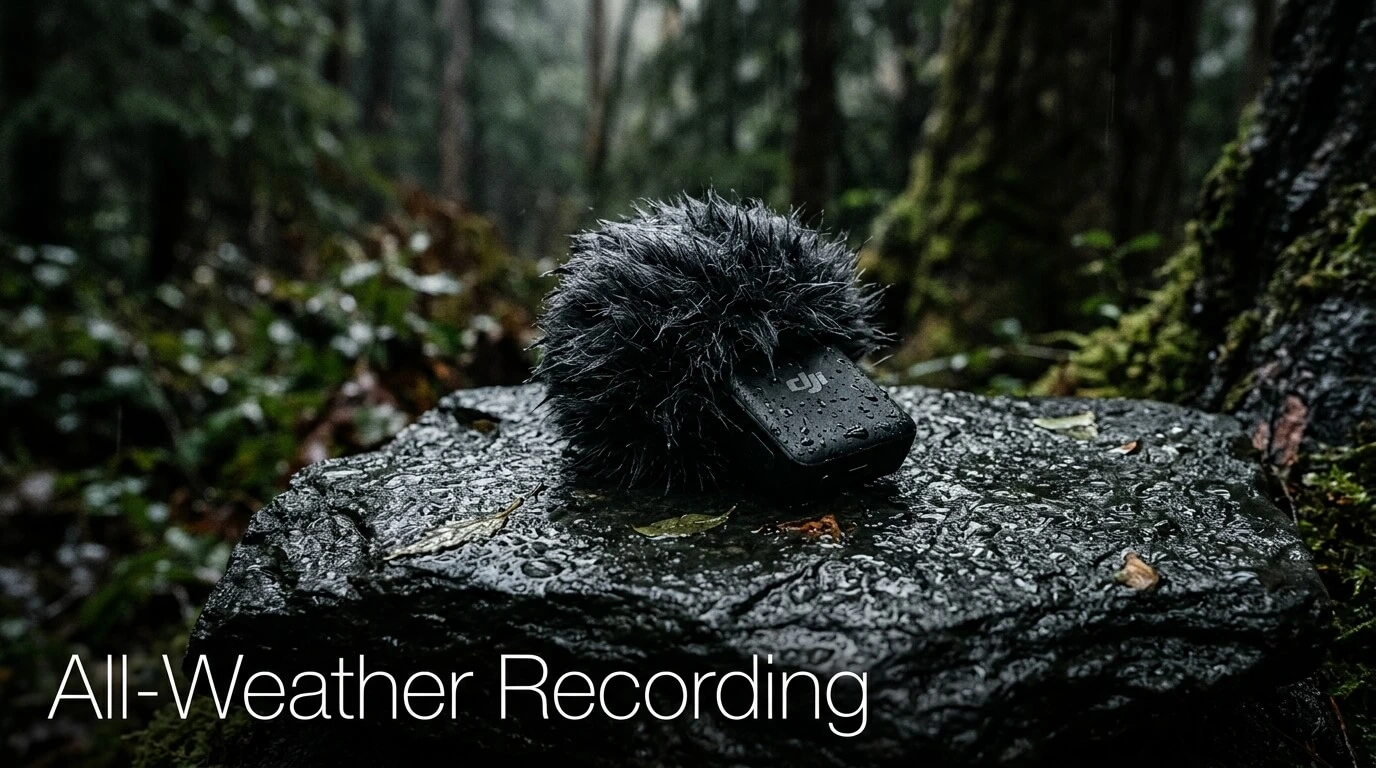
Wind is particularly troublesome because it can hit the microphone capsule and create strong low-frequency noise.
Many wireless microphone systems offer accessories or features designed to reduce wind interference. Small furry wind protection accessories are commonly used during outdoor recording.
Placement Matters
Even with wind protection, placement remains important.
Avoid placing the microphone where it constantly rubs against a shirt collar, jacket, necklace, or other object.
Before starting a long recording, listen to a short test.
Ask yourself:
Can I hear the speaker clearly? Is there clothing noise? Is the wind creating a problem? Is the voice too loud or too quiet?
These few seconds can prevent hours of editing later.
Use the Environment
Whenever possible, choose a quieter location.
You cannot always control the environment, but moving a few meters away from traffic or machinery can make a surprising difference.
Good audio is often a combination of good equipment, smart placement, and good location choices.
10. DJI Mic vs Traditional Microphones
So, why choose a wireless system instead of a traditional wired microphone?
The answer depends on what you are recording.
Wireless Microphone Advantages
Freedom of movement: You can move around without dragging a cable.
Convenience: A compact system is easy to carry.
Flexible placement: The microphone can remain close to the speaker while the camera stays farther away.
Useful for multiple content types: Interviews, vlogs, tutorials, presentations, and social media can all benefit.
Traditional Microphone Advantages
A wired microphone can still be an excellent choice.
It does not depend on wireless transmission in the same way, and some wired microphones are extremely simple and reliable.
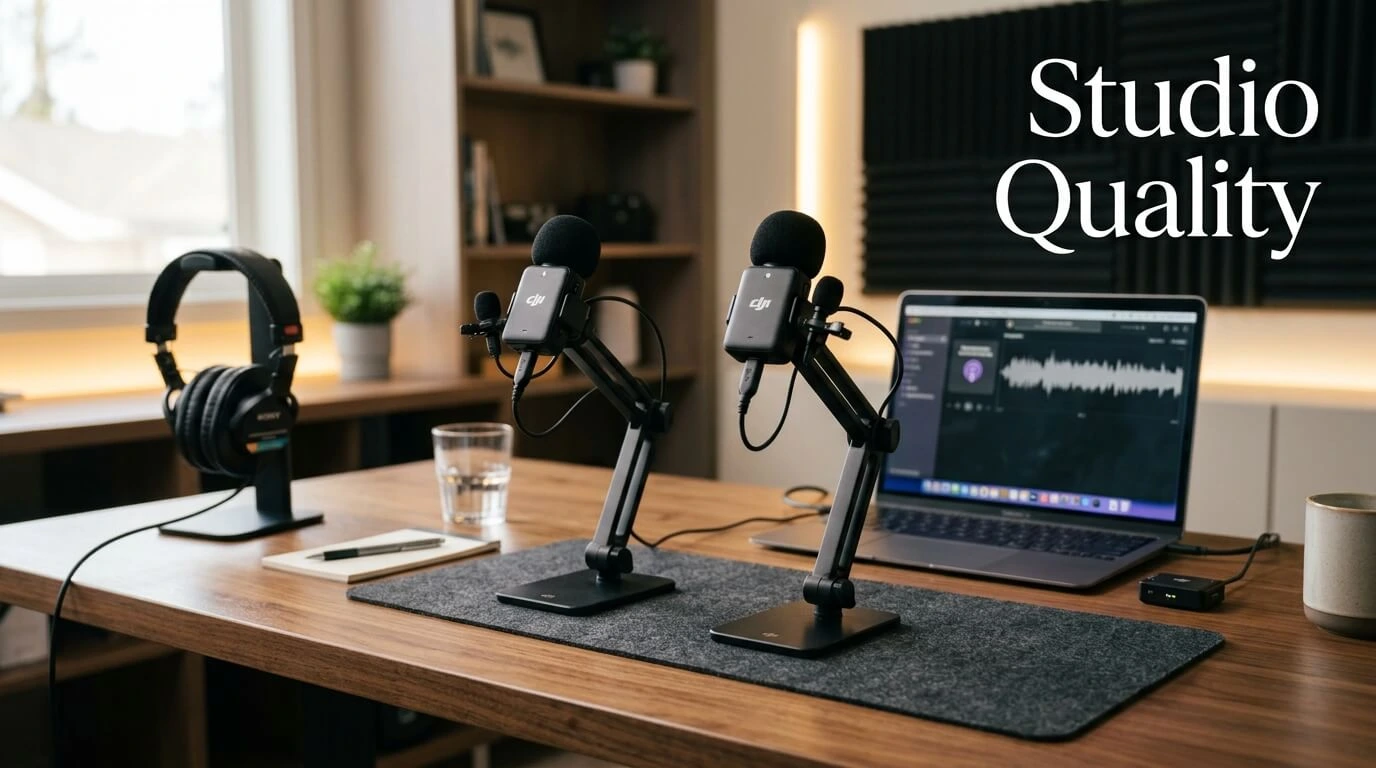
For a stationary podcast where the speaker sits directly in front of the microphone, a wired studio microphone may make more sense.
This is why there is no universal winner.
Choosing a microphone is like choosing a pair of shoes: the best option depends on where you are going.
A wireless system is particularly valuable when movement and flexibility matter.
11. Who Should Consider DJI Mic?
A DJI wireless microphone system can be useful for a wide range of people.
Content Creators
YouTubers and social media creators can benefit from better voice recording and easier movement.
Vloggers
Travel and lifestyle vloggers often need to record themselves while walking or moving through different locations.
Interviewers
Journalists, students, documentary creators, and independent filmmakers may appreciate the flexibility of wireless recording.
Teachers and Presenters
People creating educational videos can use a wireless microphone while standing away from the camera.
Small Businesses
Businesses producing promotional videos can use wireless audio for demonstrations, customer interviews, staff introductions, and social media content.
Beginners
Even someone new to video production can benefit from a simple wireless setup.
However, beginners should not assume that buying a microphone automatically produces professional audio.
Technique still matters.
12. Tips for Getting Better Audio
Want better results from your wireless microphone? Follow a few simple habits.
1. Test Before Recording
Record a short sample and listen to it.
Do not simply look at the audio meter. Actually listen.
2. Keep the Microphone Close
The closer the microphone is to the speaker, within sensible placement limits, the more directly it can capture the voice.
3. Avoid Clothing Friction
Make sure the transmitter and microphone are not constantly rubbing against fabric.
4. Use Wind Protection Outdoors
If you are filming outside, use suitable wind protection.
5. Watch Your Audio Levels
Avoid recording audio so loudly that it becomes distorted.
6. Charge Everything
Check transmitter, receiver, and charging case battery levels before important shoots.
7. Keep a Backup
For an important interview, consider using the microphone’s available internal recording features or another backup audio source when appropriate.
8. Listen With Headphones
Headphones can reveal problems that are difficult to see on an audio meter.
9. Keep the Receiver Secure
When using a camera, ensure the receiver connection is properly attached and does not interfere with your handling of the camera.
10. Practice
The more you use the system, the faster you will become at setting it up.
13. Potential Limitations
No microphone system is perfect.
There are several things you should consider before purchasing.
Battery Dependence
Wireless systems require charging. If the battery is empty, you may not be able to record normally.
Wireless Conditions
Wireless performance can vary depending on the environment, distance, obstacles, interference, and other factors.
Clothing Noise
A clip-on microphone can pick up fabric movement if it is positioned poorly.
Learning Curve
Although modern systems are designed to be user-friendly, beginners still need to understand basic audio levels, microphone placement, and connection settings.
Cost
A wireless microphone system can cost more than a basic wired microphone.
For someone who only records stationary videos at a desk, the additional flexibility may not be necessary.
That is why you should think about your recording style before buying.
14. How to Choose the Right DJI Mic Setup
The right package depends on what you need.
Start by asking yourself a few questions.
Do I mainly record myself?
If yes, a single-transmitter setup may be enough depending on the model.
Do I regularly interview another person?
A package supporting multiple transmitters can be more practical.
Will I use a smartphone?
Check the exact connector and compatibility requirements for your phone.
Will I use a camera?
Check the camera’s audio input and the receiver’s connection options.
Do I record outdoors?
Consider wind protection and the system’s recording features.
Do I travel frequently?
A compact charging and storage solution can be especially valuable.
Do I create important interviews?
Consider models or configurations offering local recording or other backup options.
The most expensive package is not automatically the best one for you.
Instead, match the features to your workflow.
15. Conclusion
DJI Mic represents a practical approach to wireless audio for modern video creators. Its biggest advantage is the freedom to keep the microphone close to the speaker while allowing the camera or phone to remain elsewhere.
For vloggers, YouTubers, interviewers, educators, businesses, and social media creators, that flexibility can make recording easier and more professional.
Still, equipment is only one part of the equation. Microphone placement, environment, audio levels, wind protection, testing, and good recording habits are equally important.
If you regularly create videos where people speak while moving around, a wireless microphone system can be a valuable addition to your setup.
Frequently Asked Questions
1. What is DJI Mic used for?
DJI Mic is designed to capture voice wirelessly for video and other recording applications. It can be useful for YouTube videos, interviews, vlogs, presentations, tutorials, and social media content.
2. Can DJI Mic work with a smartphone?
Many DJI Mic models can connect to compatible smartphones, but the exact connection method depends on the model and phone. You should check the connector and compatibility requirements for your specific setup.
3. Is DJI Mic good for YouTube videos?
Yes. A wireless microphone can be particularly useful for YouTube because it allows creators to keep the microphone close to their voice while moving freely in front of the camera.
4. Can DJI Mic be used outdoors?
Yes, it can be used outdoors, but wind and environmental noise should be considered. Suitable wind protection and careful microphone placement can help improve outdoor recordings.
5. Is a wireless microphone better than a wired microphone?
Neither is automatically better. Wireless microphones offer freedom and flexibility, while wired microphones can be simple and reliable. The better choice depends on your recording environment and needs.